what I’ve been using in 2025
Here are some notable things that I’ve been using in 2025:
- Mail: Fastmail
- Notes: Apple Notes
- Photos: Halide
- Browser: Brave
- Password Management: KeepassXC, iCloud KeyChain
- Terminal: Ghostty
- VCS: Jujutsu (mostly)
- Packages: Nix (sometimes)
- Writing: Djot
Jujutsu
Jujutsu has been my favourite new discovery this year. I’ve been test driving it for a few months for all my projects (both personal and work) in place of Git. It is a version control system with some saner defaults.
I don’t intend for this section to be a jj tutorial - for that you can refer to Steve Klabnik’s blog post. I’m just going to talk about some of my favourite features.
I like that there isn’t really a concept of a ‘branch’ in jj. Everything is based on revisions. To ‘branch’, all we need to do is jj new:
$ jj new
Working copy now at: swnvquqy 99fd588e (empty) (no description set)
Parent commit      : mntozvyz 239f6041 update README
Now any changes done to the working copy is automatically added to the changeset, which means you don’t have to do git add:
$ jj diff
Modified regular file README.md:
   1    1: This is my readme
        2:
        3: This is very awesome!
$ jj status
Working copy changes:
M README.md
Working copy : swnvquqy d1e85f72 (no description set)
Parent commit: mntozvyz 239f6041 update README
Suppose you want to make some other changes on the README while still keeping the current changes. We just need to do jj new <revset> (in
this case, jj new mntozvyz). A revset is a set of revisions. Then, the tree looks something like this:
➜ jj log
@  lnpumvro spiralladder@fastmail.com 2025-12-28 10:47:40 ad61f8f1
│  (empty) (no description set)
│ ○  swnvquqy spiralladder@fastmail.com 2025-12-28 10:45:59 d1e85f72
├─╯  (no description set)
○  mntozvyz spiralladder@fastmail.com 2025-12-28 10:45:30 239f6041
│  update README
○  skwkvyys spiralladder@fastmail.com 2025-12-28 10:44:29 6bdd5fec
│  add README
◆  zzzzzzzz root() 00000000
Now our working copy has no changes, but our previous changes were ‘stashed’ at swnvquqy.
Notice how there’s also a message saying no description set under those revisions we just created. A description is just a commit message; jj does not
force you to commit to writing a description at the point where you make changes. Instead, you can go back and write a description when you want to actually
push upstream:
$ jj edit sw
Working copy now at: swnvquqy d1e85f72 (no description set)
Parent commit      : mntozvyz 239f6041 update README
Added 0 files, modified 1 files, removed 0 files
$ jj describe -m "Update README with more cool stuff"
Working copy now at: swnvquqy 70a89c0f Update README with more cool stuff
Parent commit      : mntozvyz 239f6041 update README
There are many more cool features that makes jj so much more intuitive and a pleasure to use and I’m still not an advanced user by any means, but
the experience has been great so far.
Nix
I’ve been on and off experimenting with nix-darwin and flakes to manage my packages the Nix way but I regret to say I haven’t fully switched over to relying on Nix. I just haven’t fully committed to commit to the ecosystem especially with the amount of drama surrounding the community, and I doubt I will.
I still use Nix where there’s minimum friction with maximal benefit though! My current Zig dev setup, for example, is a 9-line shell script that uses a flake:
#!/bin/sh

ZIG_VERSION=$1
if [ -z "$1" ]; then
  ZIG_VERSION="0.15.2"
fi

CMD=github:mitchellh/zig-overlay#\"$ZIG_VERSION\"
nix shell $CMD
With this I can easily switch between different versions of zig for different projects.
Ghostty
I’ve been a happy Ghostty user since beta. I love how it is designed to run out of the box on default settings.
Below is my entire configuration. I haven’t bothered playing around with it too much because I like how it looks at the moment and probably won’t change it for a while. And yes, I’m using a light theme, because light themes are superior to dark themes :)
theme = zenbones
term = xterm-ghostty
macos-titlebar-style = tabs
font-family = IosevkaTermSlab Nerd Font Mono

palette = 0=#5c5f77
palette = 1=#d20f39
palette = 2=#40a02b
palette = 3=#df8e1d
palette = 4=#1e66f5
palette = 5=#ea76cb
palette = 6=#179299
palette = 7=#acb0be
palette = 8=#6c6f85
palette = 9=#d20f39
palette = 10=#40a02b
palette = 11=#df8e1d
palette = 12=#1e66f5
palette = 13=#ea76cb
palette = 14=#179299
palette = 15=#bcc0cc

keybind = super+t=goto_split:next
keybind = shift+enter=text:\n
Djot
I’ve been blogging this year in djot after reading John MacFarlane’s Beyond Markdown blog post. In fact, this blog was written in djot! Djot exists as a re-imagining of a light markup syntax stripped away from CommnMark’s spec, which, even with it reaching version 1.0, is (arguably) bloated with several ambiguous rules, making it difficult to parse. The arguments are laid out very well in the blog post linked above.
As a writer though, there isn’t a big difference between writing in markdown and in djot. I just like cool things.
Halide
I’ve been shooting some photos with Halide for a month or two. With Process Zero, you get film-like shots with minimal processing and no AI, which creates a more old school, natural feel to photos:
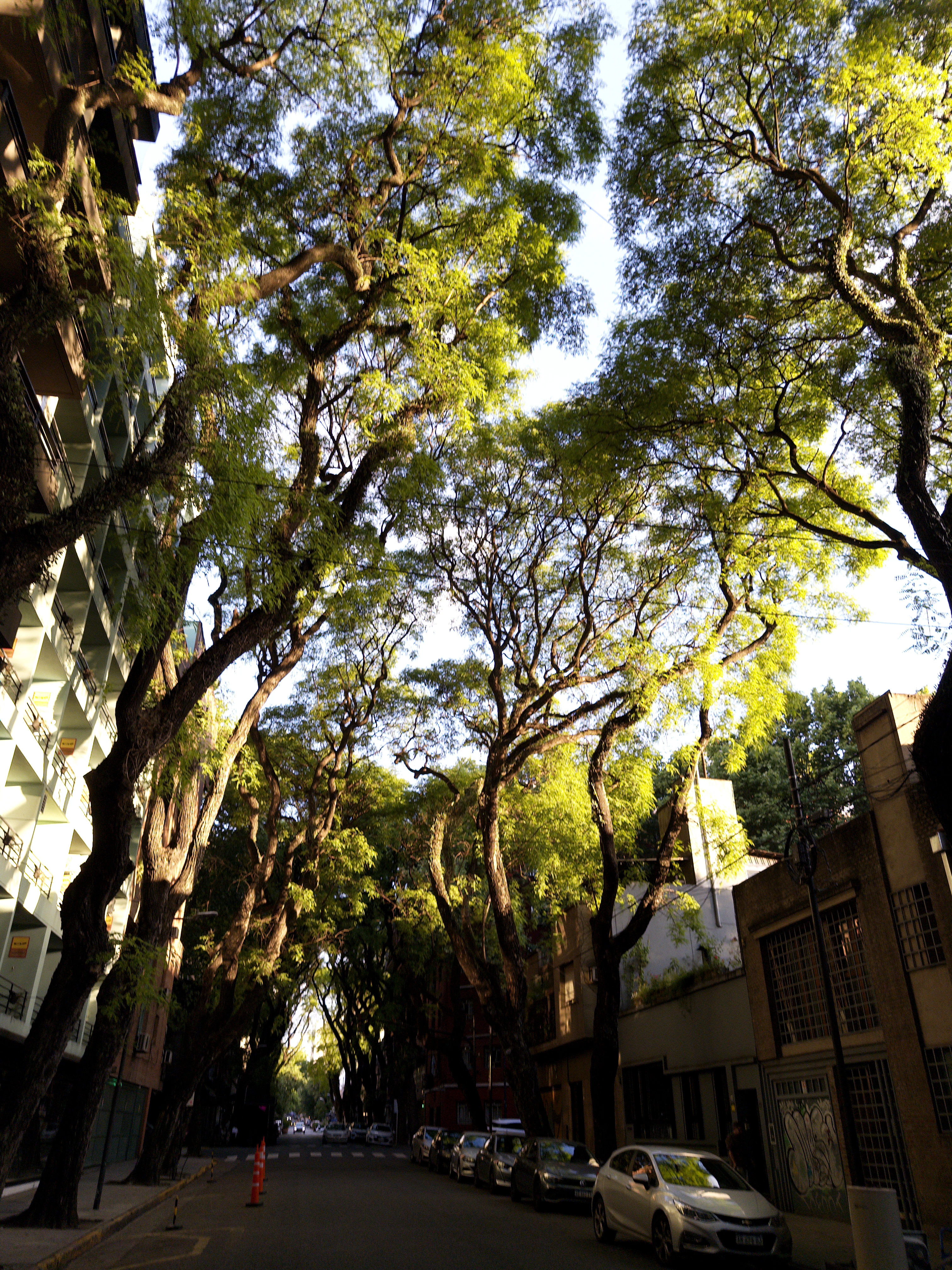
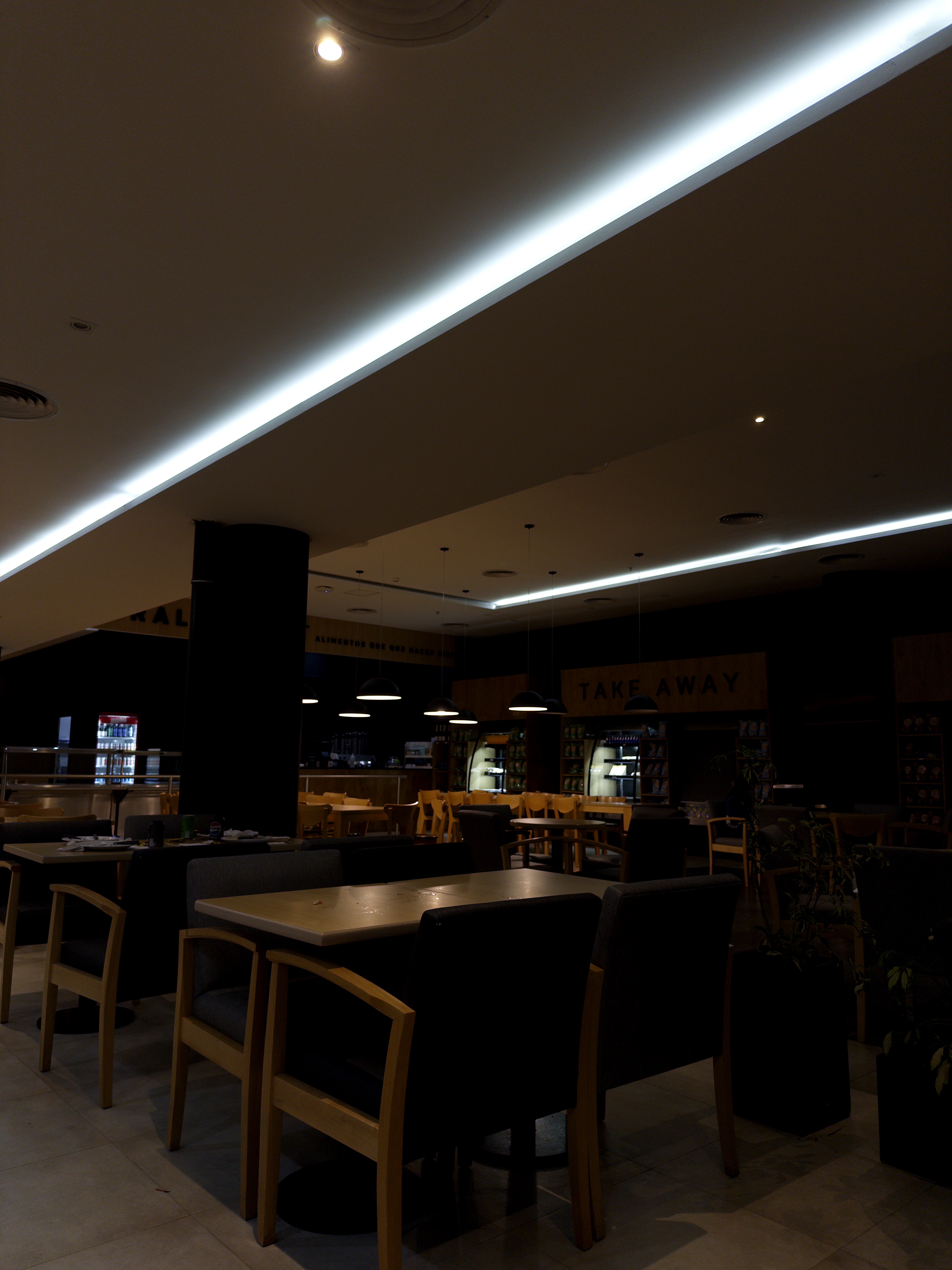
I have just been mainly using the automatic focus because I’m lazy but I would eventually like to start experimenting with manual shots soon.